Welcome to Kakadu.si. You can place your order as a registered user, as a guest or by logging in with your Facebook account.
Click on the LOGIN/REGISTER section (see image below -> icon). Three windows will open:
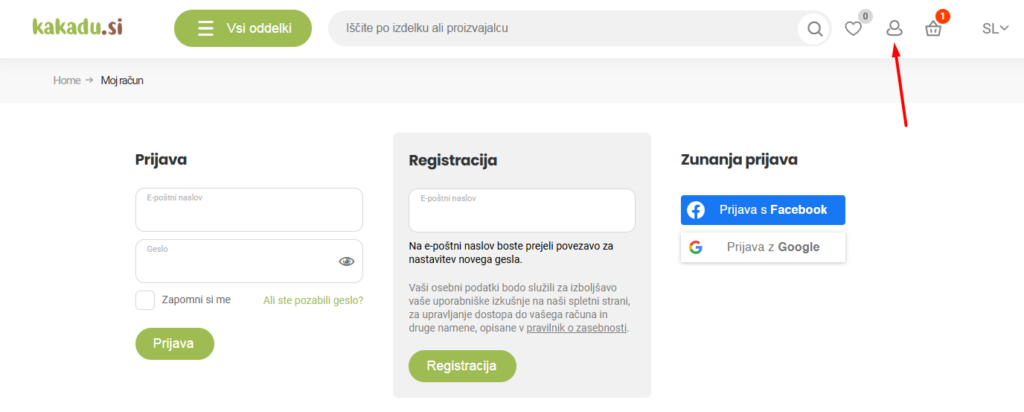
In the "Register" section, enter your email address and you will be taken to "My Account", where you are already logged in.
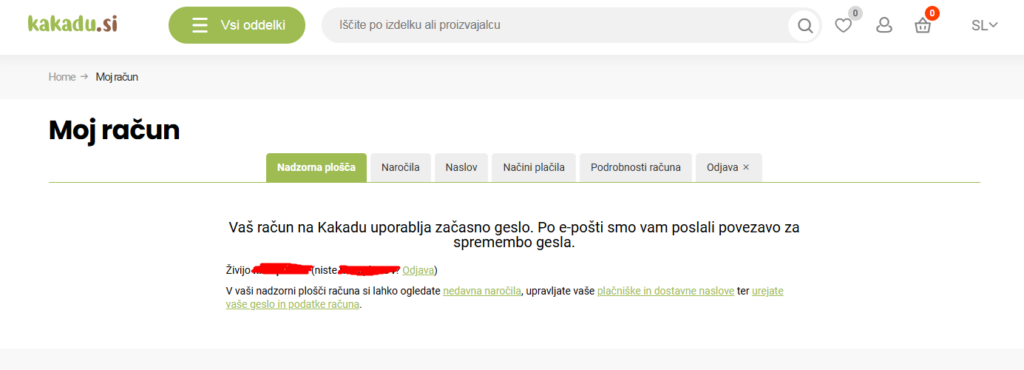
You will receive a confirmation email to the email address you entered. Please confirm your freshly created account and create a password in the new pop-up window.
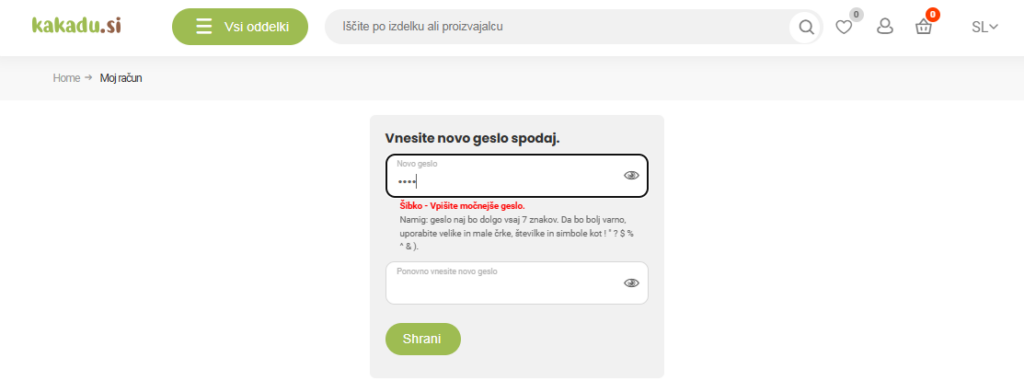
The password must be created on the basis of the instructions that are printed out. When the password is appropriate, a window will pop up like this and you can save it:
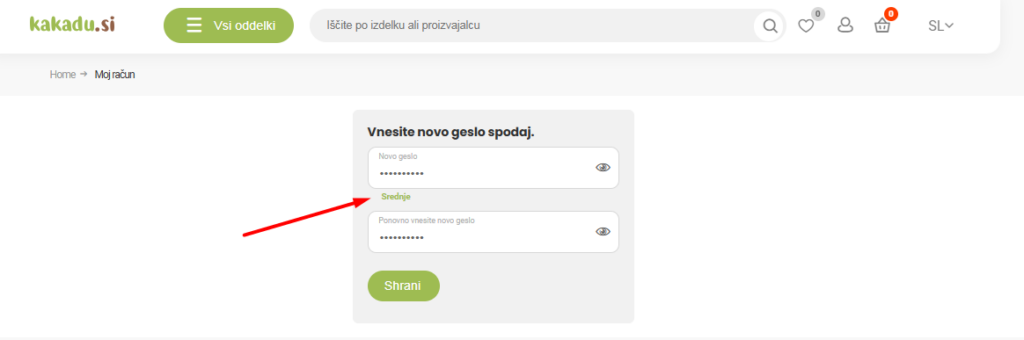
Once you create an account, you become a registered customer.
Registering in the Kakadu.si online shop gives you access to your account. The MY ACCOUNT section gives you quick and easy access to your order details. As a registered user you have access to a wide range of information. You can check the status of your order or change your personal details, as well as your address for receiving invoices and delivery. You can create your own profile and receive our newsletter with special offers.
On the opening page of the My Account section, you will find a practical overview. Here you can select the section (tab) you are currently interested in. The most visited section is "Orders", where you can manage your orders. The following sections are also available:
This is where all your orders placed since you opened your account are located.
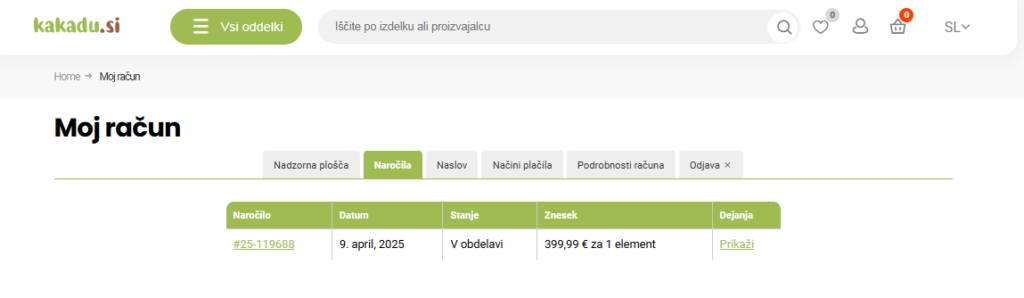
An overview of all your orders, systematically organised by date. Each order has its own serial number, which you can use to facilitate communication with the sales staff in the shop and to identify the item when collecting it in person. The list shows the date of the order, the order status and the amount of the order. For order details, click on the "View" link in the "Actions" section.
Here you will also find all the information you provided when you placed your order. These include order no., order date, email address, amount, payment method, delivery method, order status, payer address and delivery address.
Facebook login allows you to log in quickly, without having to enter your password on a return visit. To register or log in, click on the Log in with Facebook account button. The system will automatically log you in and you will also be able to access your account via your personal Facebook account.
You do not need to register to make a FAST PURCHASE. In this case, just select the desired items and add them to your basket (the procedure is described below) and fill in the boxes marked with * in the columns. If you are purchasing as a guest, your personal data will not be saved in the system and you will have to re-enter it the next time you make a purchase.
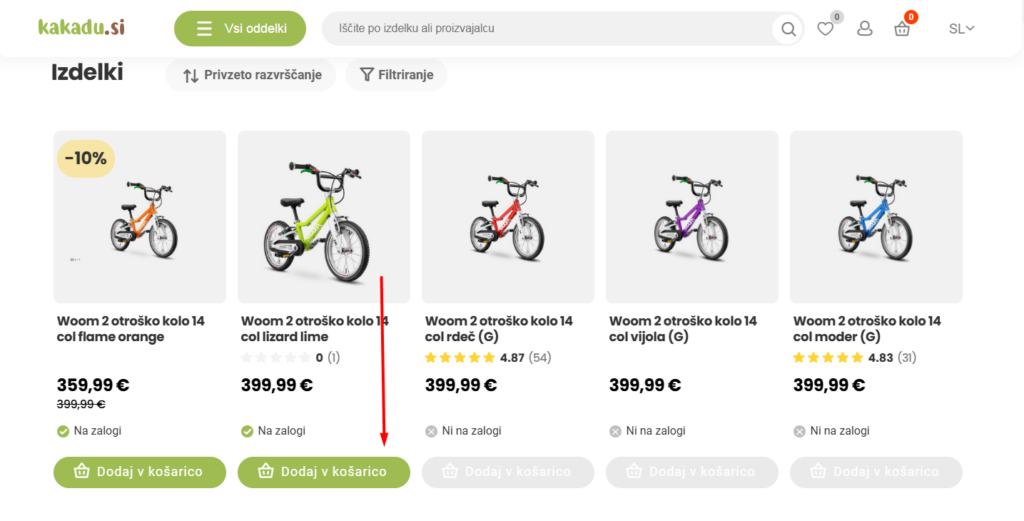
There are two ways to view and add items to your basket in the online shop.
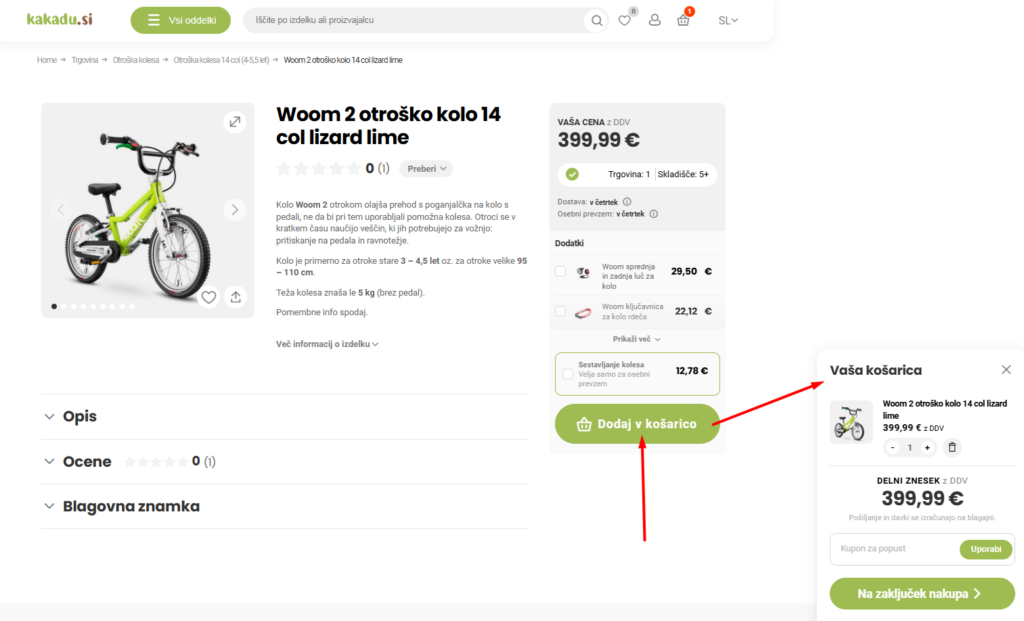
Once you have found the item you want to buy, click on the green "Add to basket" button. On the right, you will see a smaller version of "Your basket", which you can temporarily close by clicking on the cross or proceed to "Checkout". You can add to your basket in the two ways below.
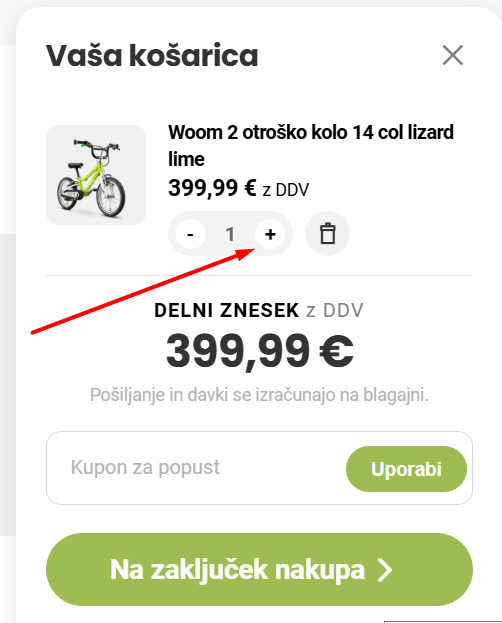
You can remove an item from the basket or increase the quantity:
In the next step, if you wish to complete the order, you specify the delivery method:
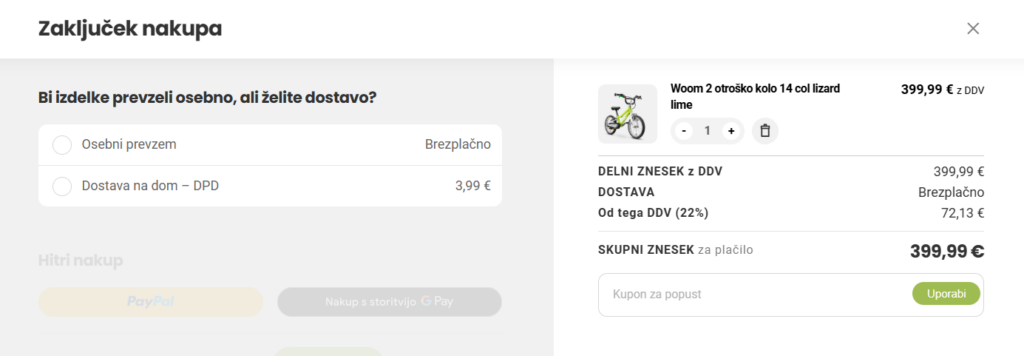
You can choose "Personal collection" in front of the Kakadu warehouse at Celovška 280. Preparation of products for personal collection is free of charge. After you have paid for the products and placed your order, you will receive an email notification that your order is ready. The message will specify the products and quantities you have selected. Accepted orders are considered irrevocable and will be fulfilled. If you wish to cancel your order, please notify us by email no later than 6 hours after placing your order. [email protected]. Personal acquisitions are made on Mondays between 9 am and 7 pmTuesday, Wednesday and Friday until 14:30.
If you want to receive the products at home, please select "Home delivery - GLS". Home delivery is via GLS postal distribution. We ship products in stock every working day (midday), which means they may be with you the next working day.
You can pay for the products you have ordered by "Payment by invoice (bank transfer), "Cash on delivery", "Payment by credit or debit card", "Payment by PayPal" or "Google Play". If you choose to pay by invoice via your online bank, the delivery of the item will be delayed by one day, but you will not incur additional delivery charges. Postage for cash on delivery is EUR 3.99, the same as for other payment methods -
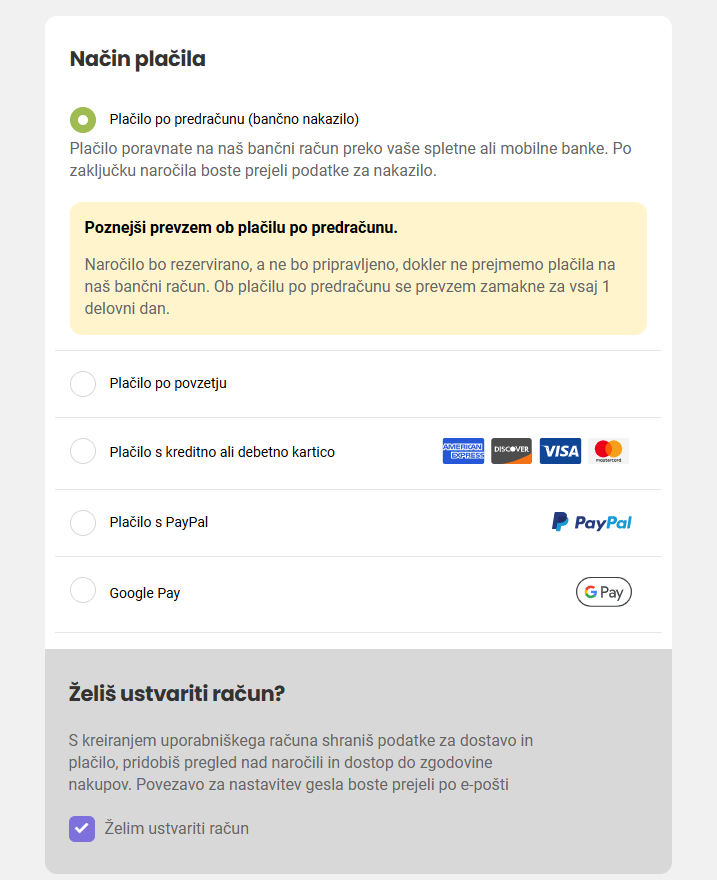
The system will show you the products ordered, the total price and the delivery costs on the right. In case you want to delete an item from your order, click on the - next to the Quantity column and the item will be removed from the list. In case you want to decrease or increase the quantity of the ordered items, click on the - button to decrease the quantity and on the + button to increase the quantity. In the quantity box you will see the changed quantity of the ordered items.
If you are shopping as a guest, the system will ask you for your personal details, which you enter in the boxes. If you are shopping as a guest, your details will not be saved and you will need to re-enter them when you shop again.
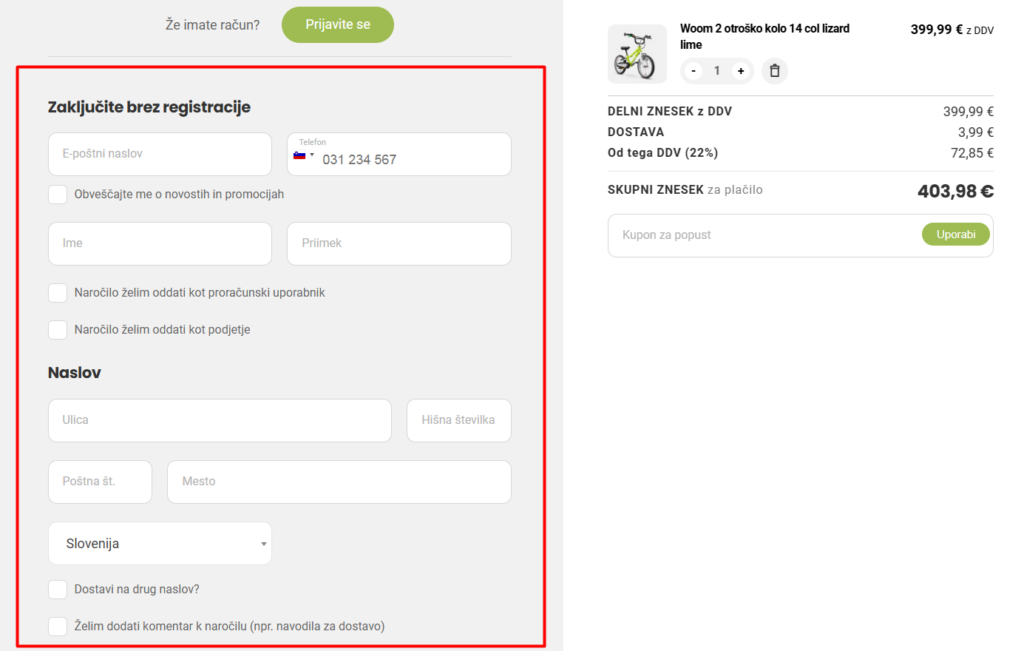
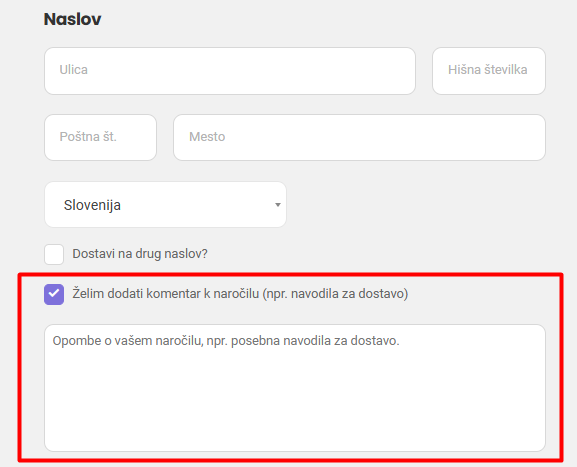
If you wish to add a comment to your order, please tick the box "I would like to add a comment to my order (e.g. delivery instructions)" and you will be taken to a dialogue box where you can enter your comment. We will reply to you as soon as possible.
Please read the General Terms and Conditions before confirming your order. At the end of the order process, you must tick the box to confirm that you have read and agree to the General Terms and Conditions.
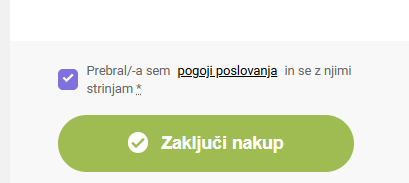
Confirm your order by clicking on the "Complete Purchase" box.
After placing your order, a window will open with the contents of your order and you will receive an email notification that your order has been accepted. The message will indicate the products and quantities you have selected. If you have placed an order and wish to pay by invoice, you will automatically receive an invoice with details and instructions for completion. Accepted orders are treated as irrevocable and will be processed. If you wish to cancel your order, please notify us by email within 6 hours of placing your order [email protected].
If you need help or if we don't have the items you want in stock, you can call us. We can be reached at 040 792 979 - Shop Šiška. Or email us at: [email protected].

If you are not satisfied with the product or want to exchange it, you have 14 days.
More about returns and exchanges
Products in stock are shipped every day. Personal pickup is possible.
More about delivery
online with credit card, Paypal, bank transfer and cash on delivery.
More about our Terms and Conditions